
Virtual PLC Sim
Virtual PLC Simulator
Right in your browser.
Build the logic. Press Run. See it happen.
Hands-on PLC programming, without the hardware.
No installation · No account needed to start
Online PLC simulation for hands-on programming practice
Ladder logic, Structured Text and SCL
Write a program, run the PLC scan and watch tag values change. Practice NO and NC contacts, AND, OR and NOT logic, timers, counters and start-stop sequences. Available instructions and languages depend on the selected PLC profile.
The sandbox and starter exercises are free. Course exercises require an account with the relevant access. This is an educational tool, not a Siemens or Allen-Bradley firmware emulator.
Virtual processes and program checks
Test your logic on conveyor, sensor and tank models. Compare input and output states with the required behavior, then run the task checks. No physical PLC or desktop installation is needed.
For voltage measurements and wiring faults, explore Wiring Sim, our electrical circuit simulator in development.
LESS SETUP. MORE UNDERSTANDING.
That moment when
the logic clicks.
A PLC program makes more sense when you can see it working. Write a rung, change an input and follow the result - all in one browser window.
01 / YOUR LOGIC, YOUR WAY
Think in rungs.
Or write in code.
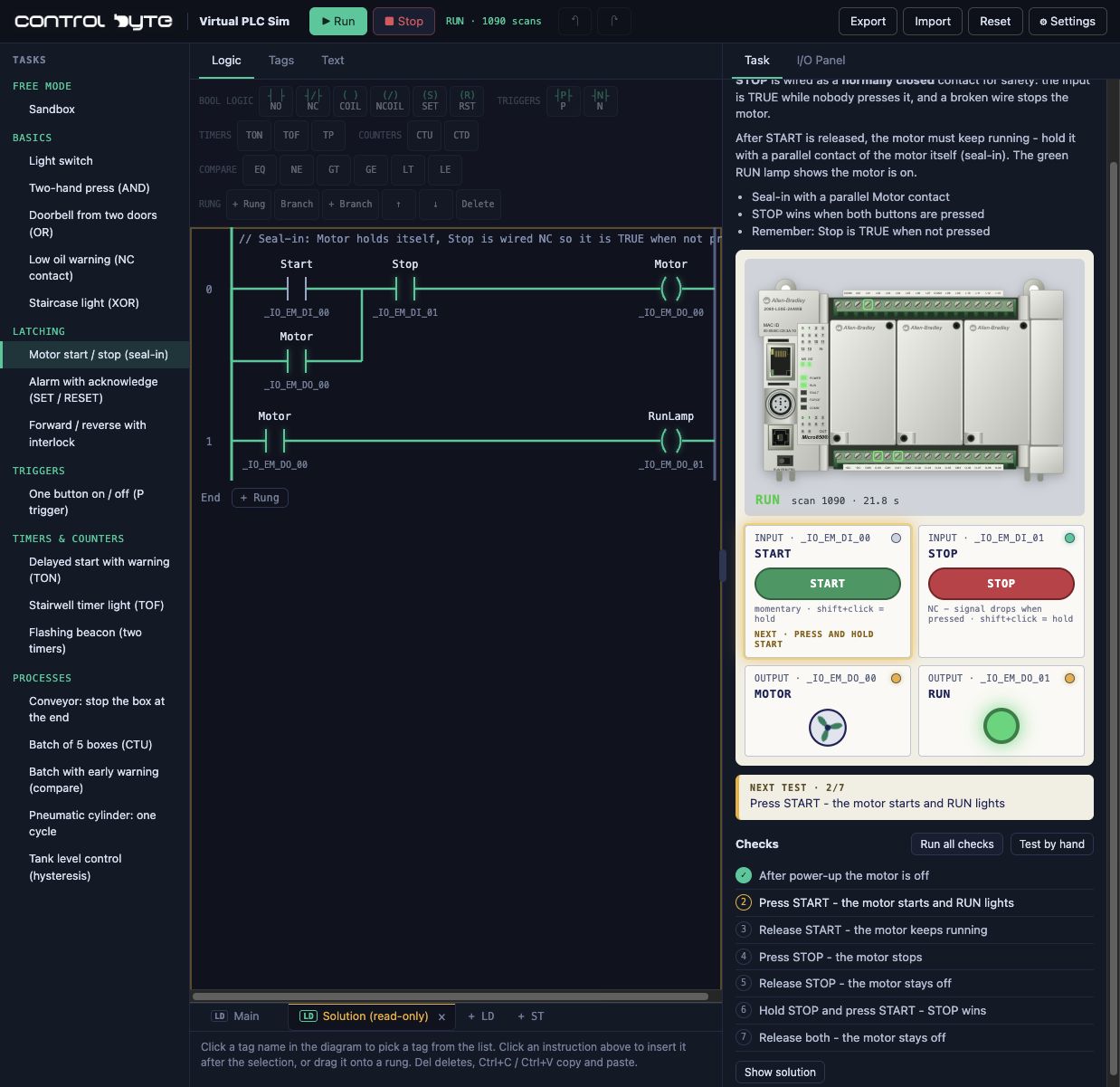
Start visually with ladder logic. When you’re ready, open a Structured Text sheet and express the same idea in code.
Switch between LD + ST for Micro850, LAD + SCL for S7-1200, and LAD for LOGO!. Watch live values as your program runs.
Open your workbench ↗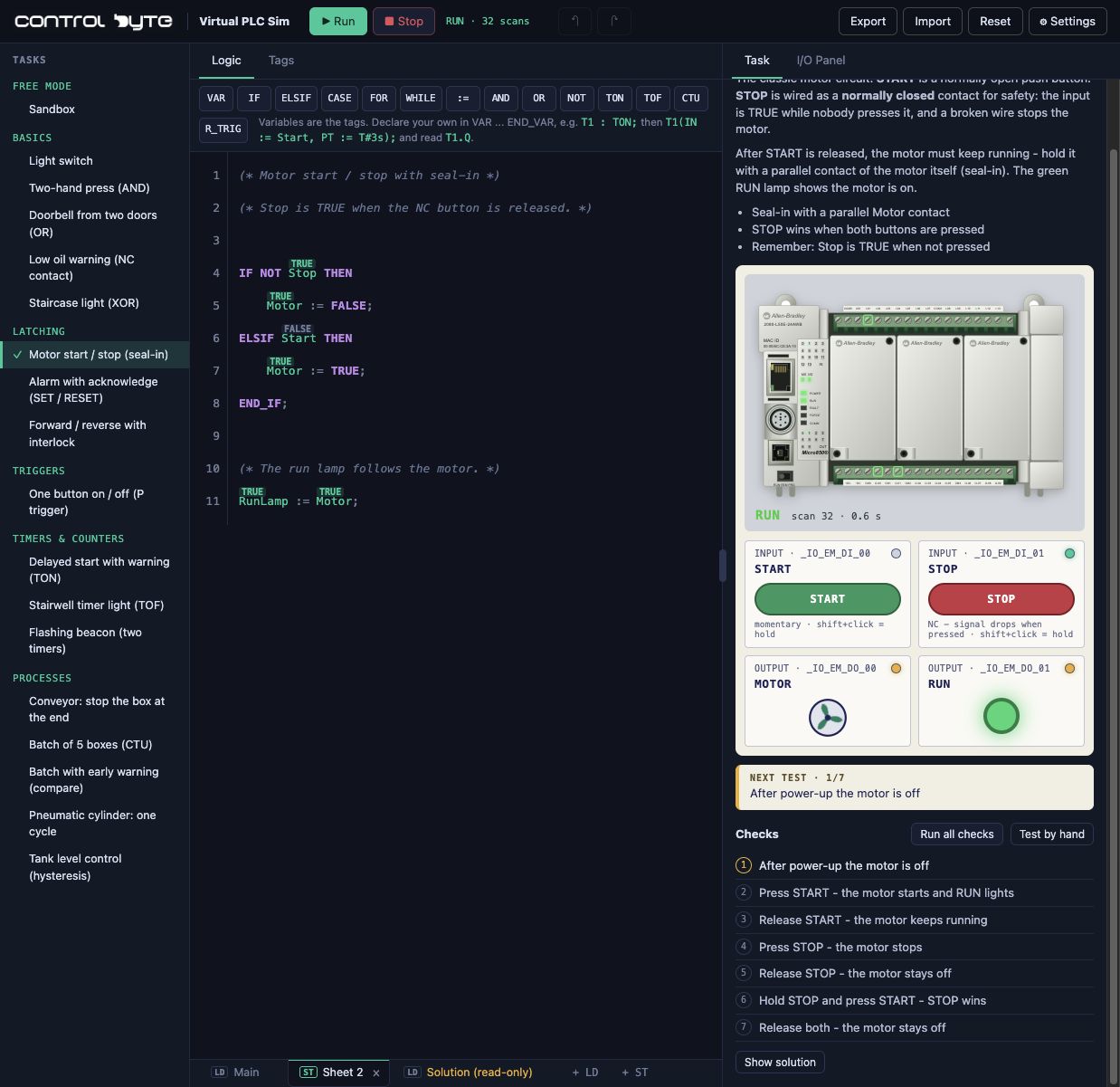
02 / SEE THE BIGGER PICTURE
Code that does
something.
Fill a tank. Move a cylinder. Stop a box on a conveyor. Turn individual instructions into a sequence you can actually follow.
Process exercises and additional guided challenges are included with eligible paid course access.
Explore ControlByte courses ↗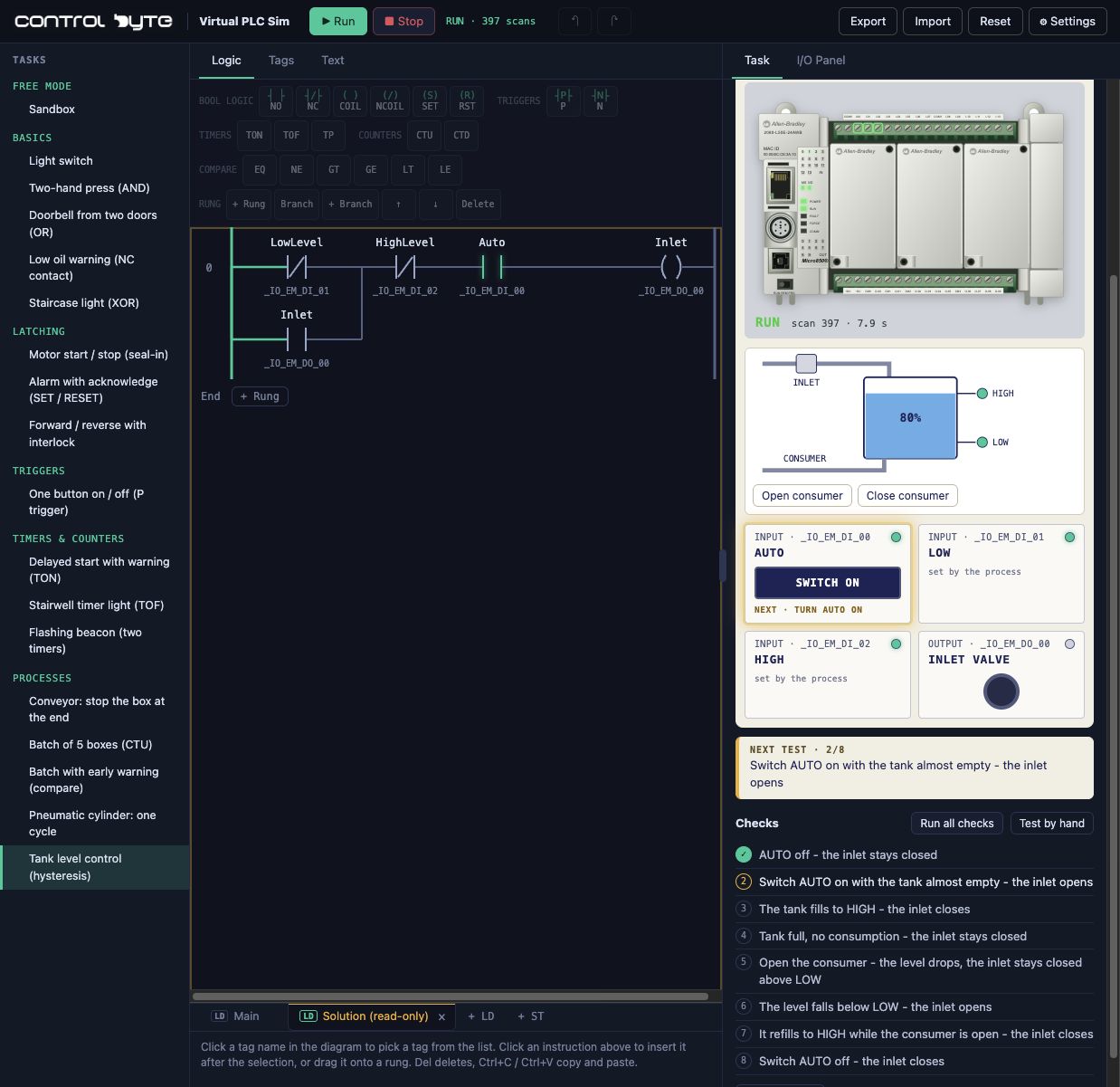
03 / YOUR TURN
Start with a switch.
See where it takes you.
Three free exercises. Clear goals. Automatic checks.
No account between you and your first working program.
Conveyor with boxes
Control a conveyor with a switch and watch the boxes move.
Conveyor thermal overload
Detect a tripped overload and a broken sensor wire.
Conveyor with a collection bin
Run the belt only when the collection bin is present.
Prefer to figure things out your own way?
Explore the free sandbox ↗Your first ladder logic program: switch a conveyor on and off
Build one rung
Open Conveyor with boxes. Add a normally open contact assigned to xSel_Run, followed by an output coil assigned to xMotor_ConvRun. The rule is MOTOR = RUN: the output follows the maintained selector.
Press the CPU Run button, then switch the station's RUN selector on. These are separate controls: the CPU executes your program; the selector supplies its input.
Check both states
With RUN off, the motor output must be FALSE and the conveyor must stop. With RUN on, the output must be TRUE and boxes must move. Stop the CPU as a final check: its outputs must turn off even if the selector remains on.
Use the exercise checks to test the required behavior. Save an export before clearing browser storage or moving to another computer.
Understand what the PLC scan does
The controller reads inputs, executes the program and updates outputs repeatedly. A normally open instruction passes a TRUE input; a normally closed instruction passes a FALSE input. The instruction's logic is separate from how a physical switch is wired.
What to practice next
Try an AND condition: allow a conveyor to run only when RUN is selected and a collection bin is present. Then compare it with a fault lamp that turns on when a healthy-circuit signal disappears. Change one input at a time and predict the output before testing.
For a learning sequence beyond the simulator, read ControlByte's PLC programmer roadmap. For circuit measurements instead of code, see the electrical wiring simulator preview.
Learn PLC programming, one exercise at a time
Five practical tutorials
Follow real simulator workstations from a first ladder rung to Boolean logic, a START/STOP holding circuit and an on-delay timer. Each guide includes an app screenshot, test cases and a direct exercise link.
All guides are free to read. Course exercises require eligible access; their tutorials include a simpler sandbox example.
- Your First PLC Program: Conveyor Start/Stop
Use a maintained switch to control a conveyor. Learn the difference between starting the CPU and switching on a machine input.
- PLC NOT Logic: Detecting an Empty Station
A presence sensor is TRUE when a carton is present. Learn how to derive the opposite condition without confusing electrical contacts with ladder instructions.
- PLC AND Logic: Conveyor with a Collection Bin
Combine an operator request with a sensor permissive. Use series contacts and test every combination, including removing the bin during movement.
- PLC Motor Start/Stop with Seal-In Logic
Move from a maintained selector to momentary START and STOP buttons. Understand the holding branch, STOP priority and restart tests.
- PLC Timer Tutorial: Delayed Conveyor Start with TON
Make an output wait for a continuous TRUE condition. Learn TON reset behavior, then apply it to a warning period before a conveyor starts.
A LITTLE MORE CONTEXT
Before you
press Run.
Is this online PLC simulator free?
Yes - the sandbox and three beginner exercises are free, with no account required. Additional guided exercises, including the motor and tank examples shown above, require eligible paid course access.
Do I need software or a real PLC?
No installation or physical controller is needed. Virtual PLC Sim runs in a modern browser with JavaScript enabled. A desktop or laptop is recommended for editing programs.
Can I learn ladder logic and Structured Text here?
Yes. You can practice LD and ST with the Allen-Bradley Micro850 profile, LAD and SCL with Siemens S7-1200, and LAD with Siemens LOGO!. The editor includes contacts, coils, timers and counters, with live feedback and automatically checked exercises.
Is this the same as vendor PLC software?
This is an independent learning tool with virtual controller models and its own execution engine. It is not Siemens or Allen-Bradley software or firmware emulation. Exercise programs are educational examples, not validated designs for real machinery.
Will my programs be saved?
Your programs are stored in your browser, and you can export them to a file. Signing in with a ControlByte account enables account-based progress saving. Browser storage and sign-in are separate on the English and Polish sites.
Is there a Polish version?
Yes. Choose Polski in Settings → Language to open the Polish site with the same exercise selected. You can also open the Polish simulator here.
LESS WATCHING. MORE DOING.
Make your
first connection.
Try for free Open your browser. Meet your PLC.
Ready for the next step?
From the simulator to a PLC programming course
Use the sandbox to test logic, then follow a structured course to learn the engineering workflow, project setup and controller-specific tools.
Siemens S7-1200/1500 - LAD/FBD - Start with ladder logic and learn the Siemens TIA Portal workflow.
CODESYS - Structured Text - Choose text-based PLC programming and learn the CODESYS environment.
Choose a course or a complete learning path
Compare PLC courses by platform and experience, or explore PLC Bootcamp for a broader learning path.
Check each course page for its syllabus, software requirements and access conditions. Simulator course exercises require eligible access; the free sandbox remains available without a purchase.